The system ingests email inquiries, classifies leads, auto-replies with quotes and screening questions, checks Google Calendar availability, books appointments, and sends confirmations — all without human intervention.
The Problem
Cleaning Bee PH handled leads manually:
- A human read every email, classified urgency, looked up pricing, typed a quote, checked Google Calendar for availability, replied to schedule, and updated a spreadsheet
- Response time: 2–6 hours (same-day at best)
- Inconsistent quoting and screening across different staff
- No automated follow-up for scheduling — leads fell through cracks
- Manual spreadsheet management prone to typos and duplication
Before:
| Metric | Manual |
|---|---|
| Lead response time | 2–6 hours |
| Scheduling | Manual calendar check + email thread |
| Data entry | Prone to typos, missed rows |
| Staff hours/week on intake | ~15–20 hrs |
The Solution
A single n8n workflow with 3 branches that automates the full intake pipeline.
Workflow Diagram
The full 3-branch workflow rendered as a flowchart:
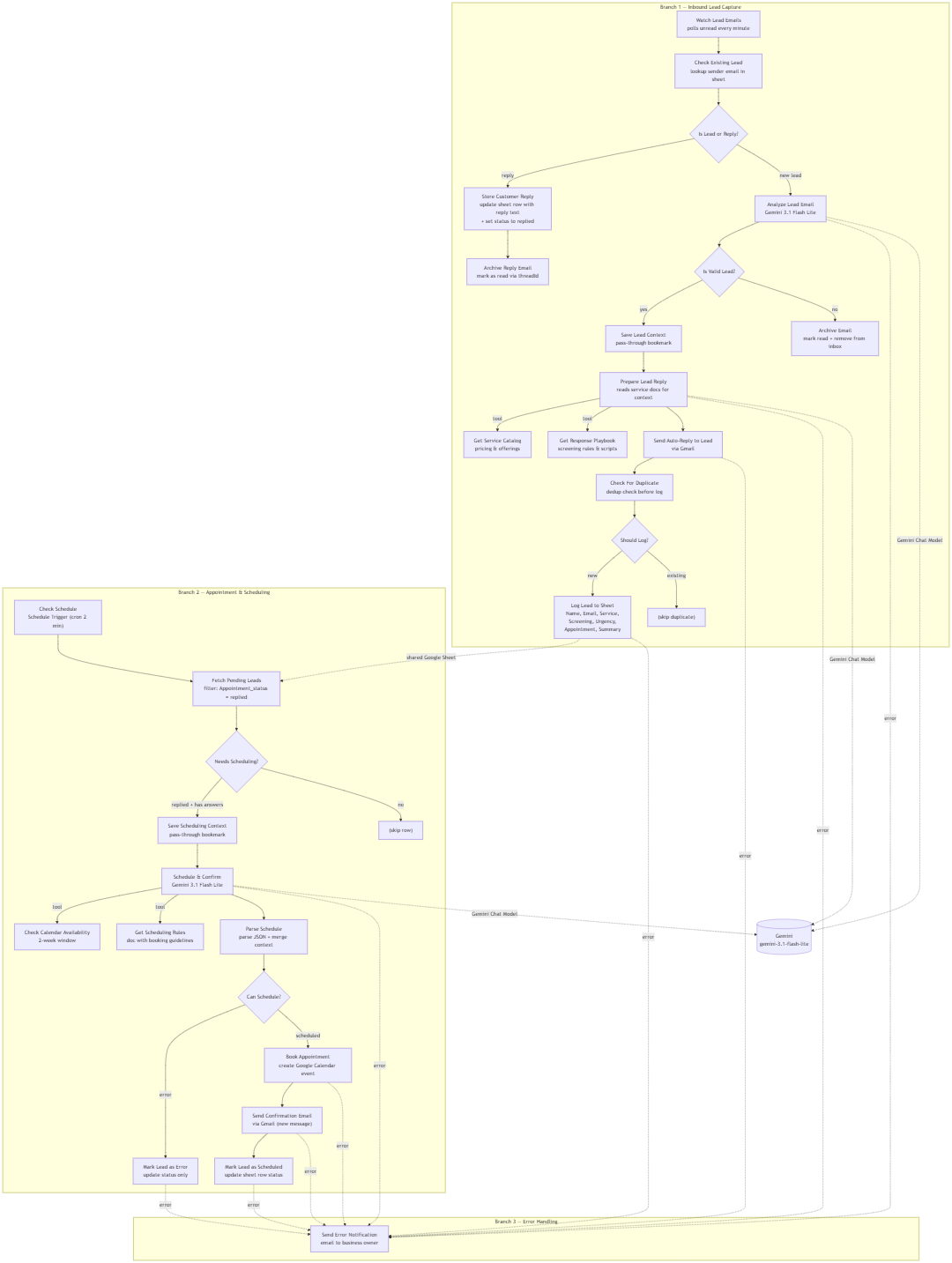
Key insight (Branch 1): A pre-filter checks whether the sender already has a pending row in the sheet. If yes, this is a customer replying to screening questions — store their text directly, skip the AI entirely. Saves ~1 LLM call per reply.
Key insight (Branch 2): The scheduling gate checks TWO conditions — Appointment_status = "replied" (via Sheets filter) AND Screening answers ≠ "" (via If node). The Sheets filter handles the status check, but it can't express "not empty," so the If node enforces the answers check. Combined with sequential execution mode (v1), overlapping cron runs are skipped automatically — preventing double-booking.
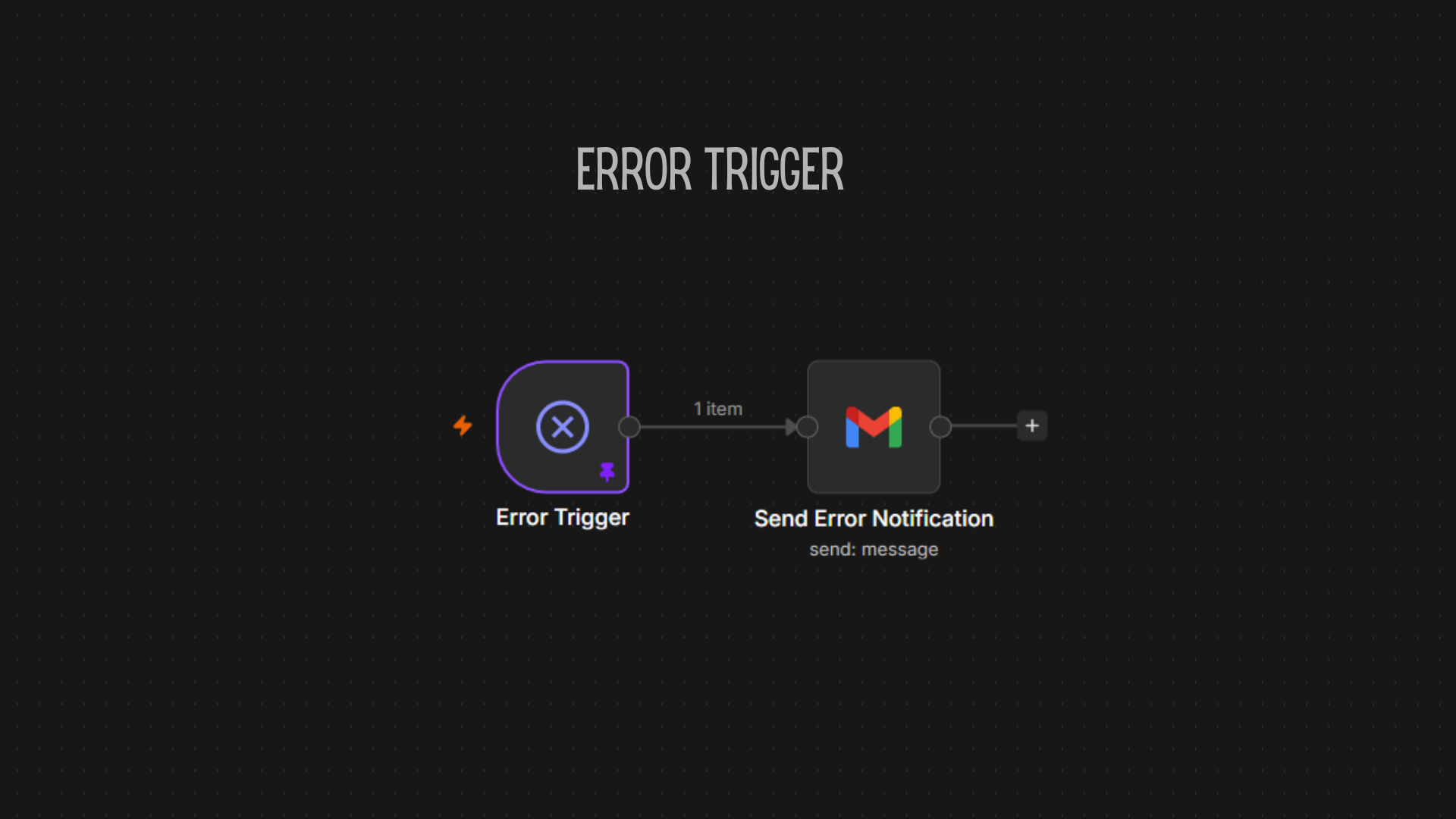
Key insight (Branch 3): Any node failure across the workflow triggers an email notification to the business owner with error details. Code nodes (AI output parsing) handle errors internally via try/catch.
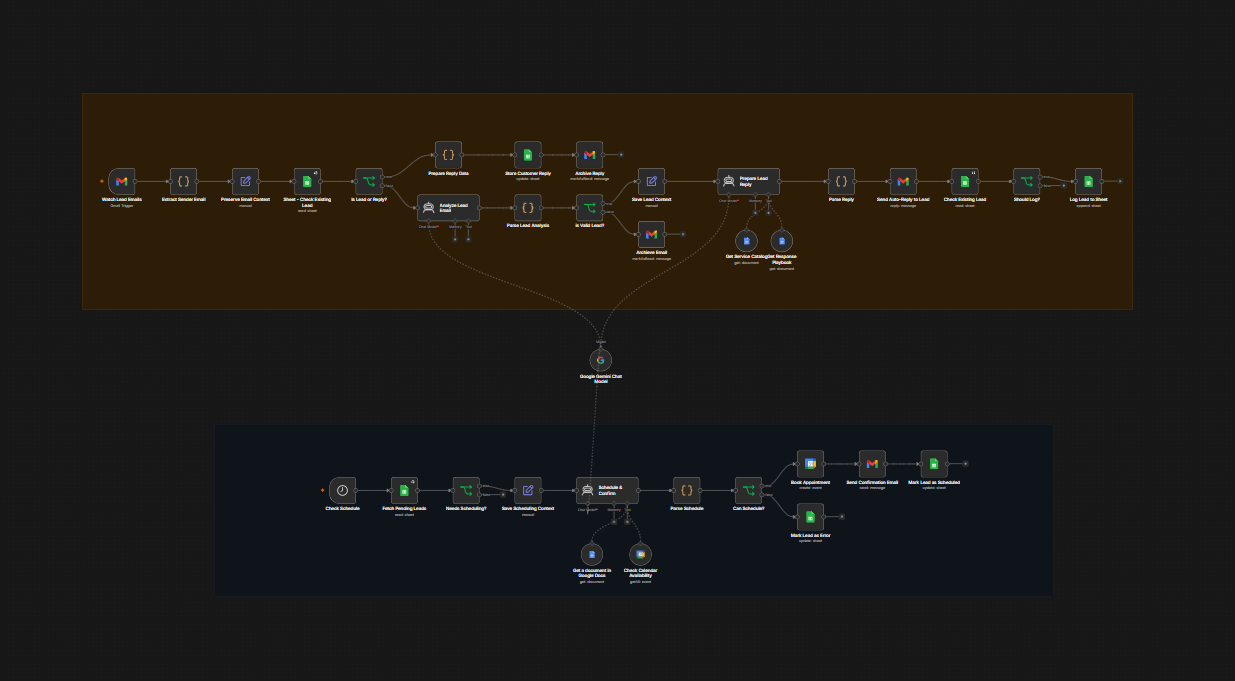
Full n8n canvas showing Branch 1 (Inbound), Branch 2 (Appointment), and Branch 3 (Error Handling)
Knowledge Base Documents
The AI Agents reference 3 Google Docs at runtime to ground their responses in accurate business rules. Each connects to its AI Agent as an ai_tool sub-node (dotted wire), not via main data arrows.
| Document | Used By | Purpose |
|---|---|---|
| Service Catalog | Agent 2 (Prepare Lead Reply) | Pricing (₱250/hr, min 3hrs), service types (standard, deep, move-in/out), add-ons, area-specific notes, recurring discounts |
| Response Playbook | Agent 2 (Prepare Lead Reply) | Lead qualification criteria, 9 screening questions, reply structure, urgency-based tone guidelines |
| Scheduling Rules | Agent 3 (Schedule & Confirm) | Operating hours (Mon–Sat 8AM–5PM), booking rules (advance notice, buffer, same-day cut-off), urgency SLAs, confirmation email components, cancellation policy |
All 3 documents are stored as Google Docs files and uploaded to n8n's document store. The agents read them fresh on every execution, ensuring replies always reflect the latest business rules — no stale cache.
Architecture Highlights
3-Branch Topology
A single n8n workflow (not 3 separate ones) because the branches share state via one Google Sheet and one Gemini node. Sequential execution mode prevents overlapping trigger executions.
Shared Gemini Node
One gemini-3.1-flash-lite node serves all 3 agents via ai_languageModel dotted wires — never duplicated. Saves API cost and keeps config in one place.
Pre-Filter Before AI
The Check Existing Lead lookup saves ~1 LLM call per customer reply. Reply text goes straight to the sheet — no AI classification needed. Estimated 40–60% cost reduction on repeat contacts.
Stateless Agents
No memory or conversation loops. Each AI Agent is a single-shot tool call with clear JSON output instructions. A Code node parses the output and restores context from a bookmark node (AI Agents destroy item lineage).
Deduplication
Email-based dedup before sheet append prevents duplicate rows. Reply is always sent first (customer experience), then the sheet is checked — if the row exists, skip logging.
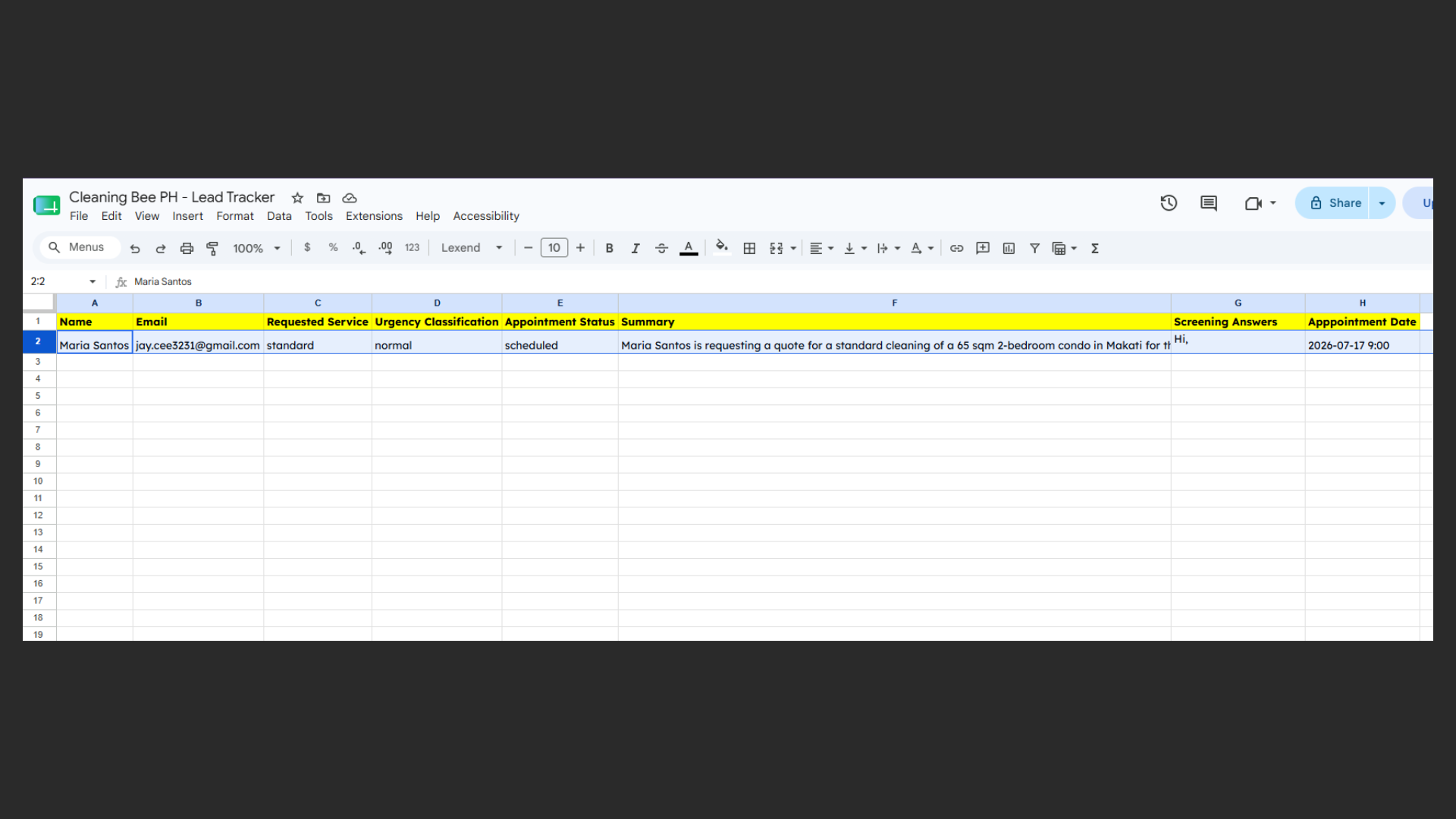
Lead Tracker sheet showing columns: Name, Email, Requested service, Screening questions, Urgency, Appointment status — populated automatically by the workflow
Urgency-Driven Scheduling SLA
| Classification | Criteria | Scheduling Window |
|---|---|---|
| Emergency | Active leak, flood, sewage, hazardous mold | Same day, 4hrs |
| Urgent | Move-in/out within 48hrs, event prep | Next business day |
| Normal | Standard cleaning, 2–7 day window | 2–7 days |
| Flexible | No deadline, browsing | Any available slot |
Tech Stack
| Component | Tool |
|---|---|
| Automation platform | n8n v2.23.4 |
| AI model | Google Gemini gemini-3.1-flash-lite (temperature 0) |
| Gmail API (OAuth2) | |
| Spreadsheet | Google Sheets — Lead Tracker |
| Calendar | Google Calendar (primary) |
| Knowledge base | Google Docs — Service Catalog, Response Playbook, Scheduling Rules |
| Error handling | n8n error workflow → email notification |
Key Design Decisions
-
Single workflow over multiple workflows — Branches share state via sheet + Gemini node. Simpler to manage, fewer moving parts.
-
Schedule Trigger (cron) for Branch 2 — Branch 2 polls the sheet, not email. 2-minute cadence sufficient for MVP (up to 4-min delay acceptable).
-
Pre-filter before AI classification — Customer replies bypass the AI entirely. Raw text stored directly to sheet. Cuts LLM costs and prevents false classification of replies as non-leads.
-
No Structured Output Parser — AI Agent outputs raw JSON into
$json.output. A Code node parses and merges with saved context. Simpler, cheaper, more debuggable. -
Sequential execution mode — Prevents overlapping cron executions from double-booking. n8n skips overlapping runs in v1 mode.
-
Reply-before-log — Customer gets their email first. If the sheet write fails, the customer isn't left waiting — owner gets an error notification.
Results (Projected)
| Metric | Before (Manual) | After (Automated) |
|---|---|---|
| Lead response time | 2–6 hours | 2 minutes |
| Scheduling throughput | ~5–10 leads/day | 50+ leads/week unassisted |
| Response consistency | Varies by staff | Guaranteed — same AI prompt |
| Data entry errors | Manual typos | Zero — deterministic |
| Staff hours on intake | ~15–20 hrs/week | ~1 hr/week (monitoring) |
Estimated AI cost: ~2,500–5,000 calls/month at ~$0.08/1M input tokens = less than $2/month in Gemini API costs.
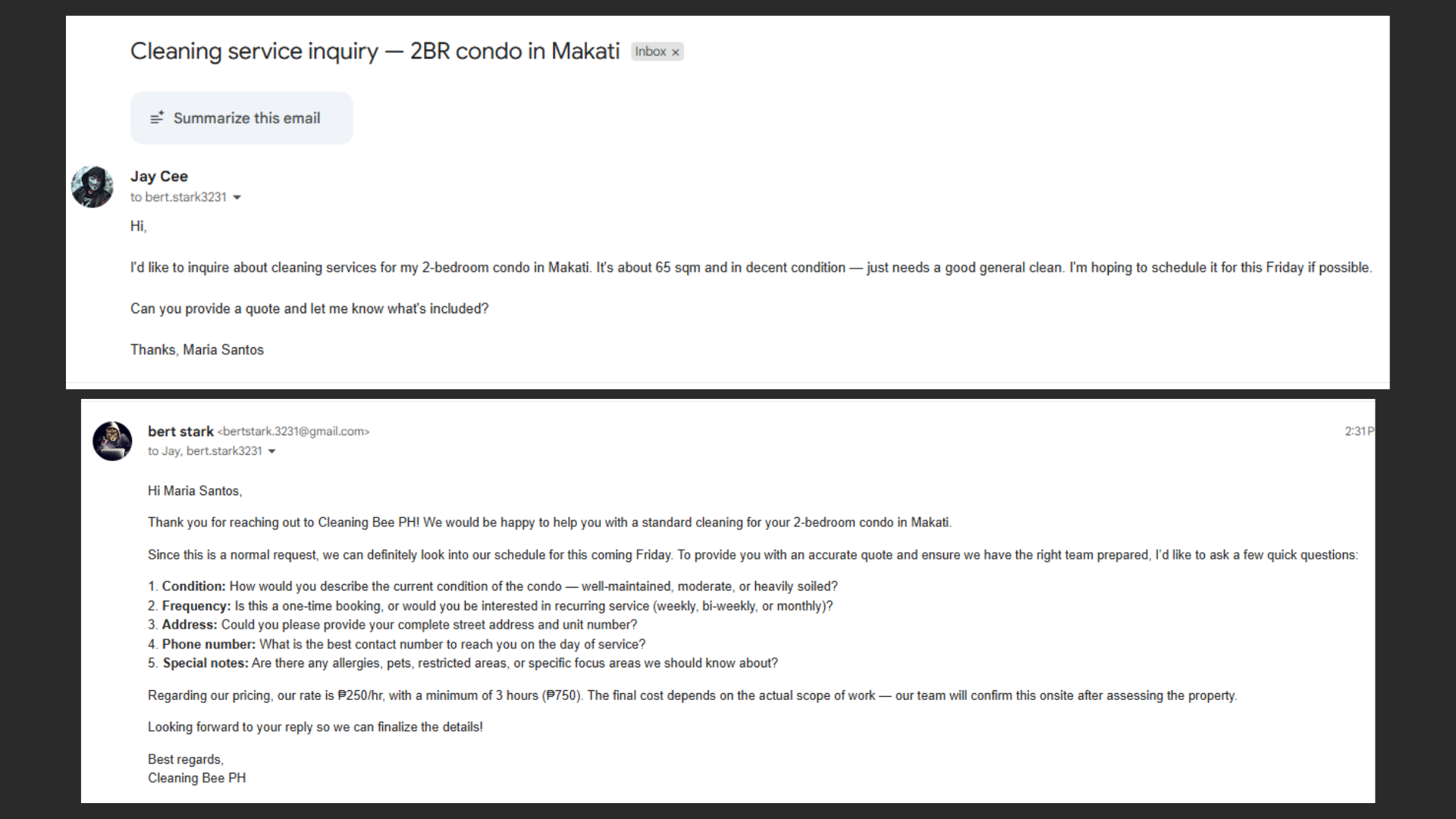
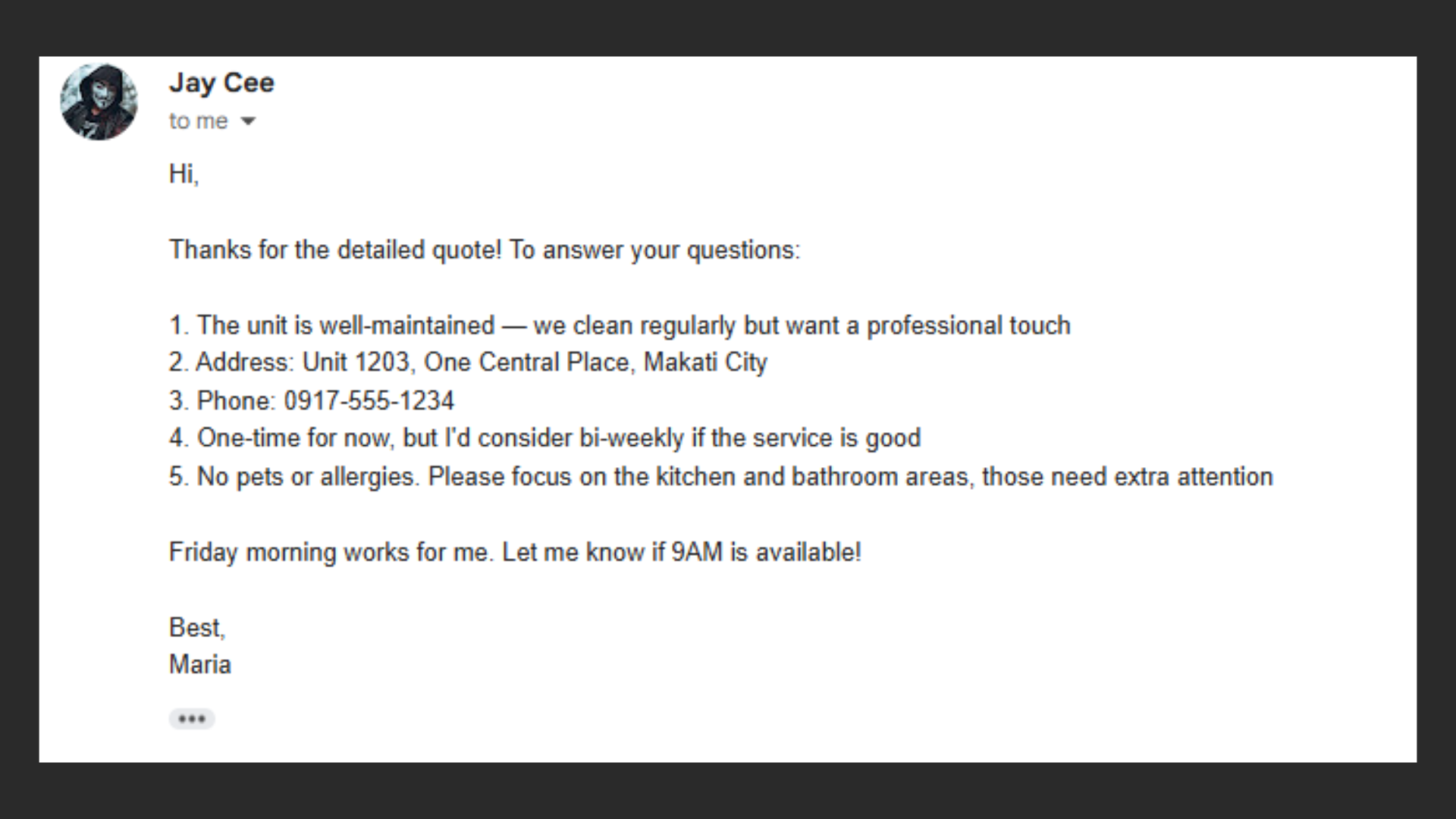
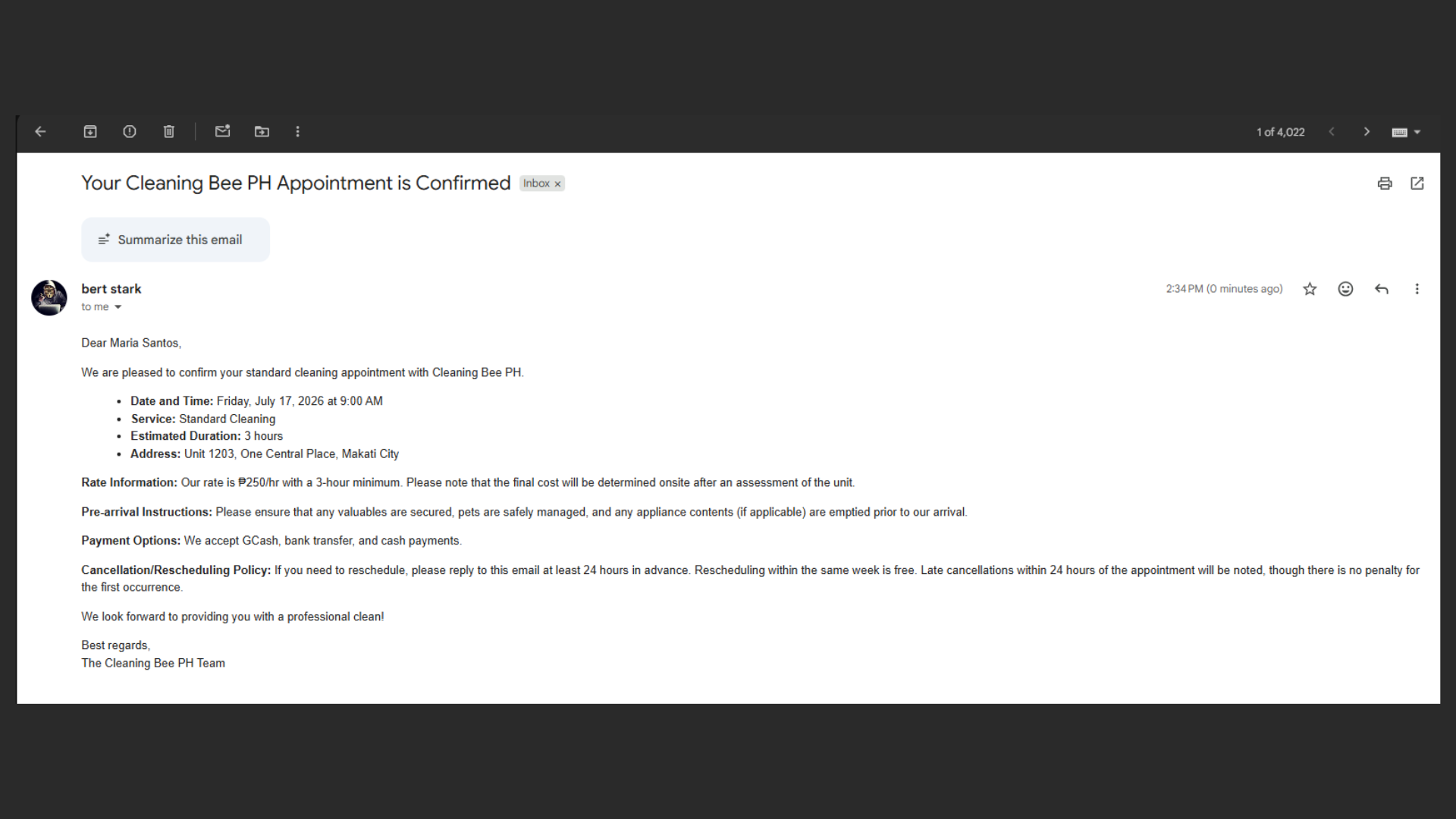
customer inquiry email. Right: AI-generated HTML reply with screening questions and estimated quote
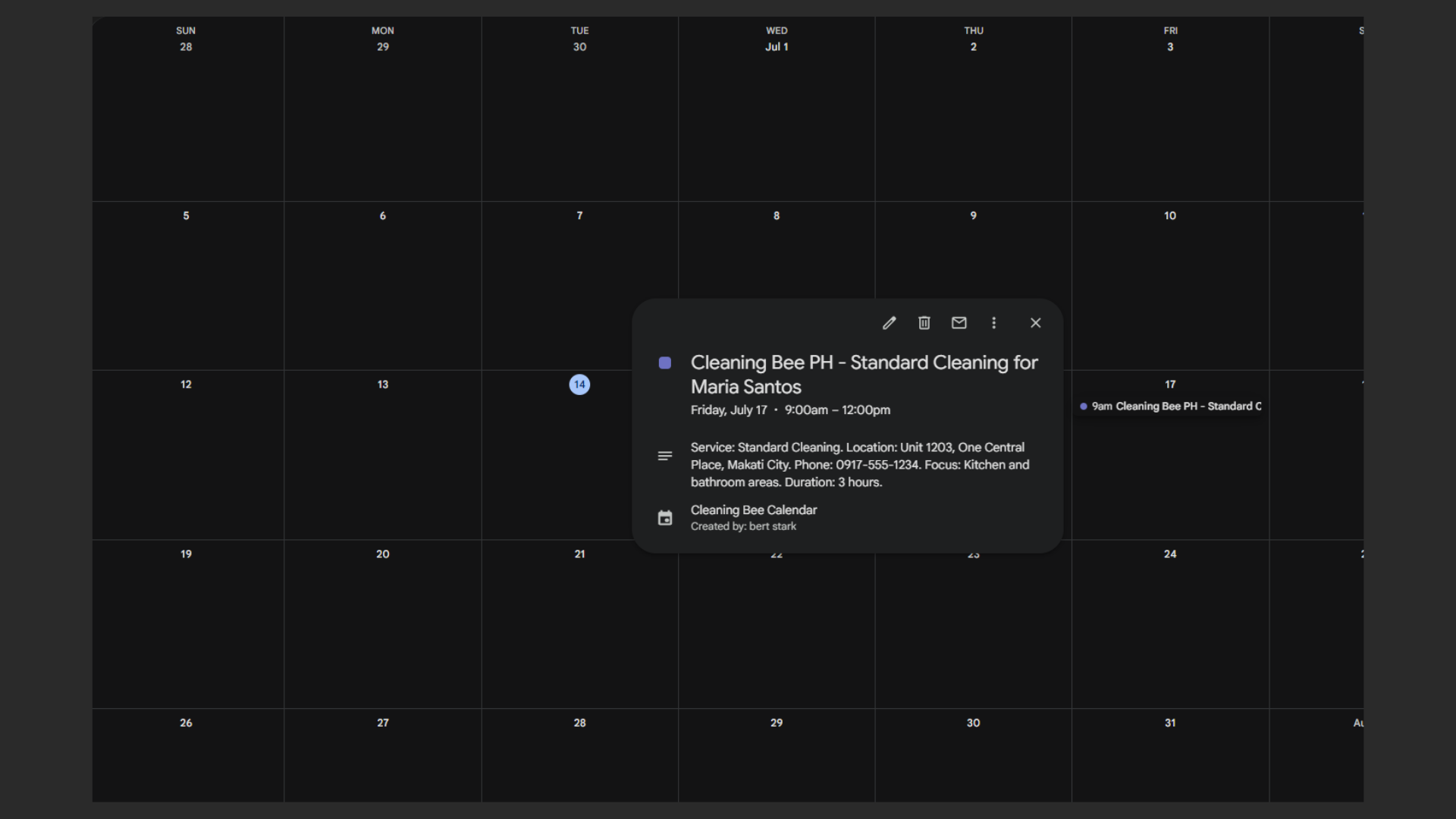
Created event with service type, customer name, duration, and cost details in description
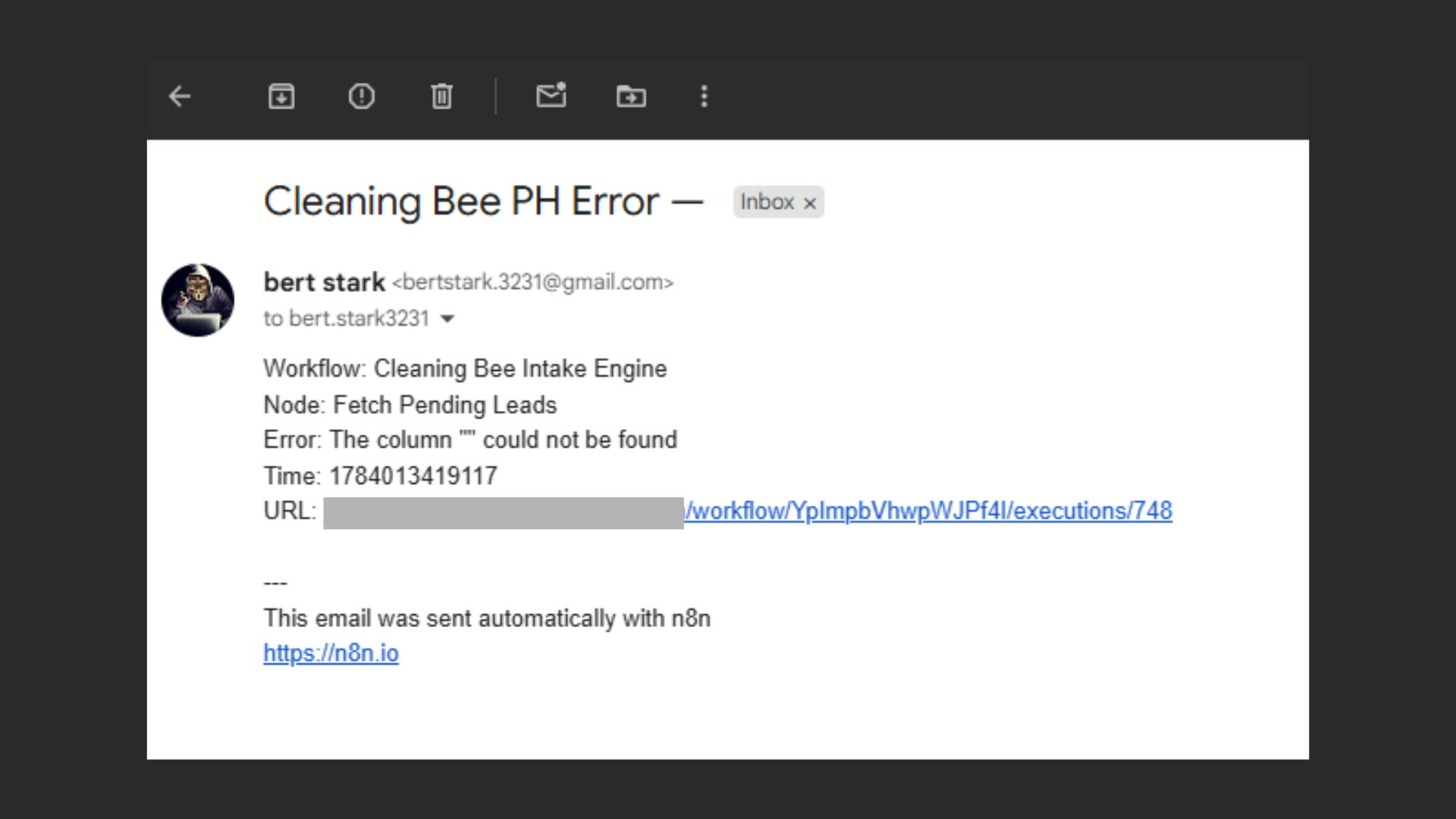
Branch 3 email alert with details about the failed node and error message